.svg)

 Netwrix Auditor
  Netwrix Change Tracker
  Netwrix Data Classification
  Netwrix Enterprise Auditor
  Netwrix GroupID
  Netwrix Password Policy Enforcer
  Netwrix Password Secure
  Netwrix Password Reset
  Netwrix PolicyPak
  Netwrix Privilege Secure
  Netwrix Recovery for Active Directory
  Netwrix StealthINTERCEPT
  Netwrix Strongpoint
  Netwrix Threat Manager
  Netwrix Usercube
  Netwrix 1Secure
  Netwrix Endpoint Protector


How much time do you spend every day scrolling through hundreds of Windows Server logs across your network and keeping an eye on storage space so those logs will be available for your next audit check? Netwrix Auditor for Windows Server helps you gain control over what’s going on across your Windows servers by empowering you with efficient event log management, so you can stay alert to critical events and slash preparation time for compliance audits.
Native tools for managing Windows Server log files
To effectively utilize event log data and prove your compliance with the strict requirements of SOX, HIPAA, PCI DSS and other standards, you need to regularly review Windows server event logs. The native event logging tool Microsoft Event Viewer enables you to view and analyze events — but you have to do it one server at a time. Can you really afford to spend your precious time sifting through endless Windows event logs, security logs, application logs and application services logs spread all over your network? Plus, storing all that uncompressed log information means constantly worrying about how much free disk space you have left.
Enabling full control over Windows Server logs
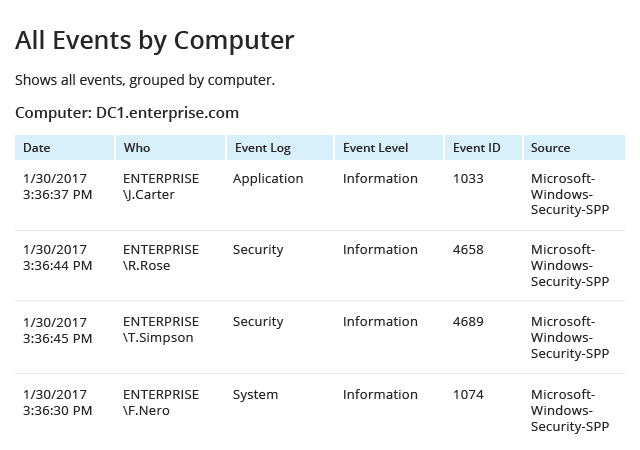
Netwrix Auditor for Windows Server enables you to efficiently manage Windows Server log files, security events and syslogs from computers across your network. The application helps you stay on top of log monitoring and better manage event logs by:
- Alerting you in real time via email on the events you define as critical
- Consolidating, compressing and archiving logs in a cost-effective and easily accessible two-tiered storage for years
- Enabling you to create custom views of reports – for instance, filtering by a user or a computer of particular interest
- Delivering all the necessary reports right into your mailbox according to the schedule you set
- Empowering you with predefined compliance reports so you can provide auditors with the evidence they require
- Providing visibility into all changes made to server and IIS configurations via out-of-the-box reports and reports with custom views to strengthen security
- Video recording user screen activity, even in systems or applications that produce no logs