Read their Stories
Trusted by




























































One platform. 1Secure™.
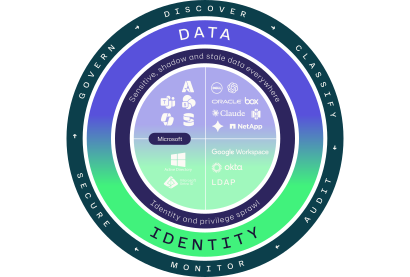
Meet 1Secure, the first platform to unify data and identity security. Ditch the siloed tools and secure your identities, strengthen data protection, and simplify compliance — all from one platform.
1Secure is a smarter, simpler way to protect your data with AI-enabled insights and unified visibility.
Why Netwrix?
Identity and data security, unified
Unified security
Netwrix connects the dots between identity and data. Our unified platform gives you complete control over who has access to your data.
Flexible deployment
Today’s IT environments are complex. Netwrix provides flexible deployment options for hybrid tech stacks.
Faster time to value
Get up and running quickly, accelerate time-to-value, and reduce implementation costs.
Total cost advantage
Netwrix software balances enterprise security with simplicity that helps organizations of all sizes achieve competitive TCOs.
How it works
How we power protection
Netwrix connects the dots between identity, access, and data. Our platform is fast and flexible, easy to manage, and built to scale with you. With AI-driven insights, unified visibility, and built-in compliance, you can reduce risk without the overhead.
Flexible deployment
Fast implementation
Reduced complexity
AI-powered insights
Expert support
Lower TCO
Get in touch
Ready to get started?
Our numbers speak for themselves
13k+
organizations turn to us for their security needs
120+
Fortune 500 companies rely on our solutions
95%
customer satisfaction rating from our clients
#1
to market with AI MCP server integration