
Resource centerHow-to-Guide
How to Detect Who Granted Full Access Permissions to Another User’s Mailbox
How to Detect Who Granted Full Access Permissions to Another User’s Mailbox
Native Auditing
- Open the Exchange Management Shell, and run the following cmdlets:
- Set-AdminAuditLogConfig – AdminAuditLogEnabled $true
- Set-AdminAuditLogConfig – LogLevel Verbose (for Exchange 2013).
- Run eventvwr.msc → Applications and Services Logs → MSExchange Management → search for log with cmdlet "Add(Remove)-MailboxPermission" – where you can find information about who changed You can also find this information in Exchange Admin Center in your browser → Compliance Management → Auditing → click "View the administrator audit log". mailbox permissions, when it happened, to what mailbox and what kind of access to whom was given.
- You can also find this information in Exchange Admin Center in your browser → Compliance Management → Auditing → click "View the administrator audit log".
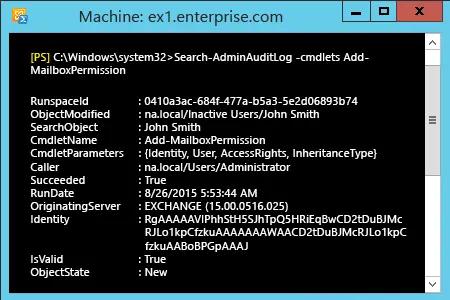
- Also via power shell - Open the Exchange Management Shell and run the following cmdlet:
- Search-AdminAuditLog –cmdlets Add(Remove)-MailboxPermission.
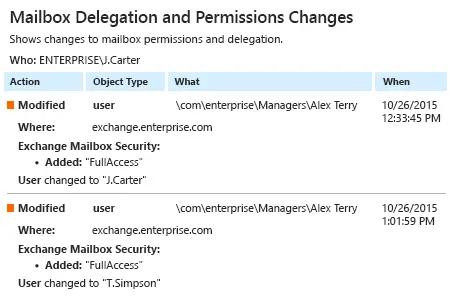
Netwrix Auditor for Exchange
- Run Netwrix Auditor → Click "Reports" → choose Exchange → Choose "Mailbox Delegation and Permissions Changes" → click "View".
Share on