Netwrix Password Expiration Notifier
Active Directory Password Expiration Notification Tool (Free)
Automatically remind users to change passwords before they expire. Cut helpdesk tickets and strengthen security with our free password expiration notification tool.
Password management made simple with auto-reminders
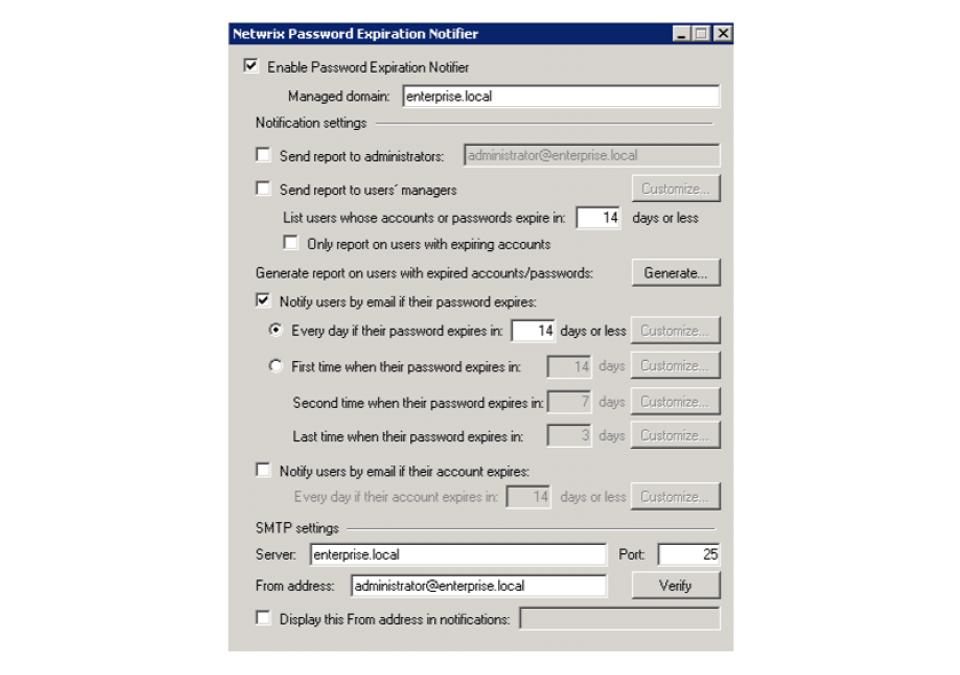
Netwrix Password Expiration Notifier cuts down on password-related helpdesk bottlenecks with automatic emails to users before their Active Directory passwords expire. Users get reliable notifications, managers stay informed, and your helpdesk can focus on important tasks rather than busywork.
Warn users early
Send timely emails to remind users to change their Active Directory passwords before expiration dates arrive.
Get scheduled reports
Automatically deliver summary reports about upcoming password expirations directly to your mailbox.
Minimize breach risks
Facilitate strong password policies that fortify your security position and ensure compliance with regulations.
Streamline helpdesk workflow
Reduce wasted time spent on manual password resets and administrative tasks with intelligent automation.
Capabilities
Free features, smarter workflows
Detailed reminders
Send automatic emails to users specifying the exact days remaining before their Active Directory password expires.
Manager notifications
Notify managers about upcoming password expirations for their direct reports so they can take action.
Upcoming expiration data
Get convenient alerting and reporting on expiring accounts, as well as expiring passwords.
Proactive reporting
Improve business continuity with data that resolves password expiration issues before they happen.
Trusted by professionals
Don’t just take our word for it
Know who's changing passwords, not just whose are expiring
Password Expiration Notifier handles the reminder emails. It doesn't flag suspicious password reset patterns, out-of-hours changes, or resets tied to privileged accounts. Those are different signals, and they matter more.
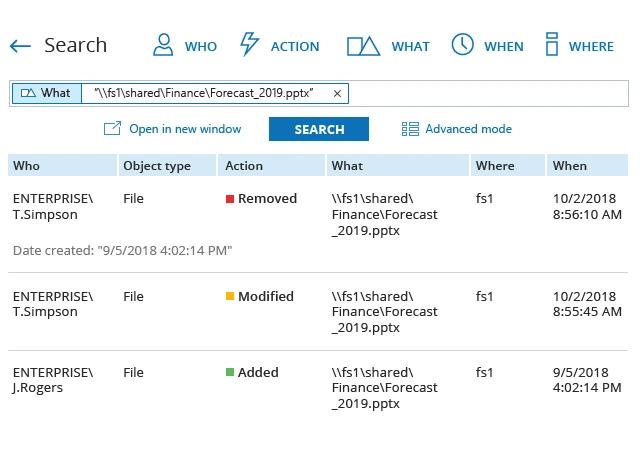
Netwrix Auditor records before-and-after values for access and change events across hybrid Microsoft environments.
Explore Netwrix password security
Password Expiration Notifier is one piece of Netwrix password security. Explore the products that enforce policies, reset credentials, and protect every secret.